1Connect
2Configure
3Add Source
4Done
Connect to OBS
Make sure OBS is running with WebSocket server enabled
First time? Enable WebSocket in OBS:
- Open OBS Studio
- Go to Tools → WebSocket Server Settings
- Check "Enable WebSocket server"
- Set a password (optional but recommended)
- Click Apply
- If using a password, click "Show Connect Info" to copy it
or set up manually
Copy URL manually
For Streamlabs Desktop or manual OBS setup, copy this URL:
Loading...OBS Studio:
- Sources panel → + → Browser
- Paste the URL above
- Set width: 1920, height: 1080
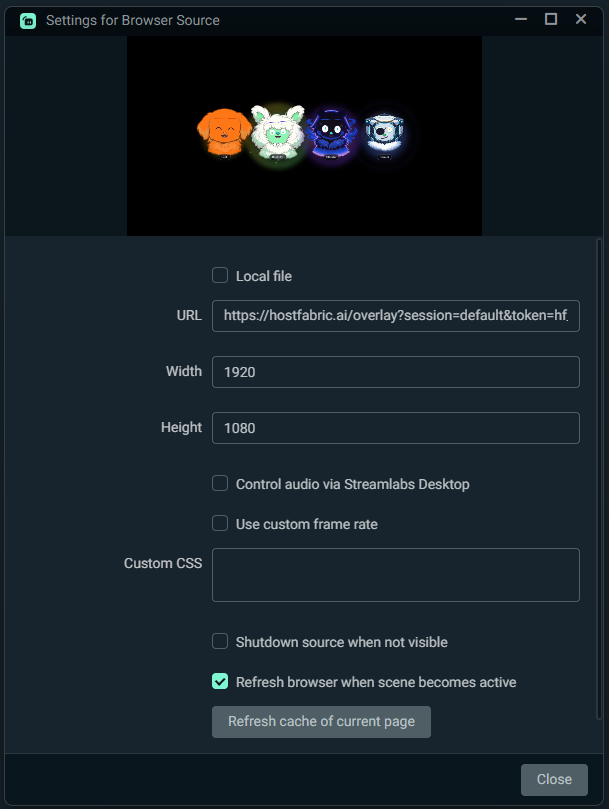
Streamlabs Desktop:
- Sources → + → Browser Source
- Paste the URL above
- Set width: 1920, height: 1080
Audio tip: If overlay audio sounds scratchy when OBS/Streamlabs is minimized, open the Browser Source settings and keep "Control audio via OBS" unchecked.